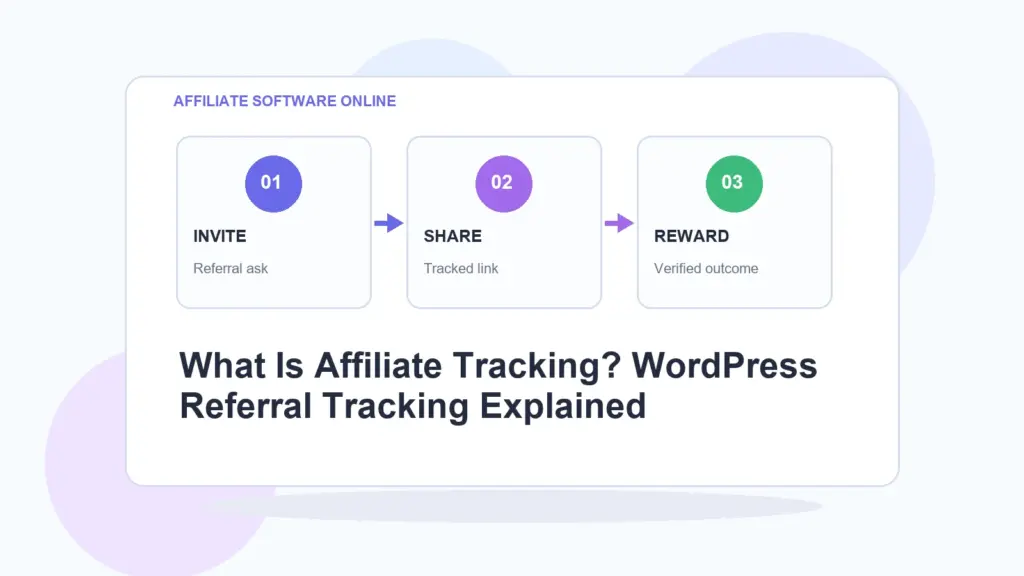
Quick answer: Affiliate tracking is the process of recording which affiliate, partner, creator, or referral link sent a visitor to your website, what link they clicked, and whether that visit later produced a commissionable action. In WordPress, affiliate tracking usually works through referral URLs, cookies, click records, referral visits, and commission tracking.
Affiliate tracking in one sentence
Affiliate tracking answers one very practical question: who sent this visitor, and should someone be credited if that visitor converts?
That is the whole job. Everything else — referral links, cookies, click logs, dashboards, commission records, short links, attribution rules — exists to make that answer cleaner, fairer, and less dependent on guesswork.
Written by Elizabeth Sramek.
I have a strong opinion here: affiliate tracking should be boring, transparent, and predictable. The best tracking setup is not the one with the most buttons. It is the one where a site owner can clearly see which partner sent traffic, which link was used, and which commission should be reviewed. If the system needs a manual, a webinar, and three coffees before it makes sense, it is probably overbuilt for a small WordPress site.
What is affiliate tracking?
Affiliate tracking is the method used to connect website traffic, clicks, referrals, leads, sales, or commissions to a specific affiliate. It allows a business to know which partner promoted a link, how many visitors arrived through that link, and whether those visitors generated a result worth paying for.
In simple terms, affiliate tracking turns partner promotion from a vague “I think this person sent me traffic” situation into a measurable system.
A basic affiliate tracking flow usually looks like this:
- A business creates an affiliate or partner record.
- The affiliate receives a unique referral link.
- A visitor clicks that referral link.
- The website records the click or referral visit.
- A tracking cookie may be stored in the visitor’s browser.
- If the visitor later completes a qualifying action, a commission can be recorded.
That qualifying action can be a purchase, lead form submission, booking, signup, consultation request, membership registration, or any other event the business wants to reward.
Affiliate tracking example
Here is a simple referral URL:
https://example.com/?aso_ref=partner-codeIn this example, partner-code identifies the affiliate. When someone clicks the link, the website can record that the visit came from that partner.
A cleaner branded campaign link may look like this:
https://example.com/go/summer-sale/This type of short link is easier to share in newsletters, Instagram bios, YouTube descriptions, partner pages, podcast notes, PDFs, and blog posts. Behind the scenes, the link can still redirect to the correct destination while tracking the click.
How affiliate tracking works in WordPress
In WordPress, affiliate tracking usually works through a plugin. The plugin stores affiliate records, creates referral links, tracks clicks or visits, and records commissions inside the WordPress dashboard.
A lightweight WordPress affiliate tracking setup usually includes these parts:
| Tracking element | What it does | Why it matters |
|---|---|---|
| Affiliate record | Stores the affiliate name, code, and commission settings. | Creates a clear identity for each partner. |
| Referral link | Adds a tracking code to a URL. | Shows which affiliate sent the visitor. |
| Tracking cookie | Stores referral information in the visitor’s browser. | Helps connect later activity to the original referral. |
| Click tracking | Records that a link was clicked. | Shows whether affiliate links are actually being used. |
| Referral visit tracking | Records a visit connected to an affiliate. | Helps separate normal traffic from referred traffic. |
| Commission record | Stores a pending or approved commission. | Creates a payout record for later review. |
For many WordPress site owners, this is enough. You do not always need a giant affiliate platform, especially if your affiliate program is new, small, manual, or intentionally controlled.
What does affiliate tracking actually track?
Affiliate tracking can track different things depending on the tool you use. At minimum, a useful affiliate tracking system should help you see which affiliate sent traffic and which referral activity may deserve a commission.
Common affiliate tracking data includes:
- Affiliate ID or referral code — the unique identifier connected to the affiliate.
- Referral URL — the link shared by the affiliate.
- Click count — how many times a tracking link was clicked.
- Referral visits — visits that arrived through an affiliate link.
- Unique visitors — separate visitors rather than repeated clicks from the same person.
- Commission amount — the amount credited to the affiliate.
- Reference ID — an order number, lead ID, booking reference, or internal note.
- Cookie duration — how long the referral connection remains active.
My preference is to keep the tracking layer lean unless the business genuinely needs more. Clicks, referral visits, and commission records are the core. Everything beyond that should justify its existence.
Affiliate tracking vs referral tracking
Affiliate tracking and referral tracking are closely related, but they are not always identical.
| Term | Meaning | Typical use |
|---|---|---|
| Affiliate tracking | Tracks partner links, referred traffic, and commissions. | Affiliate programs, creator partnerships, commission-based promotions. |
| Referral tracking | Tracks who referred a visitor, lead, customer, or signup. | Partner referrals, client referrals, member-get-member programs. |
In practice, many small businesses use the terms almost interchangeably. A coach might call it referral tracking. A blogger might call it affiliate tracking. A SaaS company might call it partner attribution. The mechanics are similar: identify the source, track the visit, and credit the result.
Why affiliate tracking matters
Affiliate tracking matters because it protects trust. Without tracking, your partner program quickly becomes a swamp of “I sent you that customer” and “I think that was my lead.” Charming, if you enjoy business disputes served cold.
Good tracking helps with five things:
- Fair credit — affiliates can be credited for referred traffic or commissionable activity.
- Performance visibility — you can see which partners and links are working.
- Commission control — payouts can be reviewed before money changes hands.
- Campaign testing — branded short links can show which campaigns attract clicks.
- Operational sanity — your affiliate program becomes a system, not a memory exercise.
If you are only working with one friend who occasionally sends you leads, you can survive with a spreadsheet. Once you have multiple partners, several campaigns, or regular commissions, affiliate tracking becomes less optional.
How Affiliate Software Online handles affiliate tracking
Affiliate Software Online is a free WordPress affiliate marketing plugin built for site owners who want practical referral tracking without complicated setup, paid feature gates, or risky site-wide behavior.
It helps you:
- Create affiliates inside WordPress.
- Assign unique referral codes.
- Generate referral URLs.
- Create branded short links using your own domain.
- Track short-link clicks.
- Track referral visits.
- Track unique visitors.
- Record pending commissions.
- Create manual commissions.
- Export referral and commission data as CSV files.
The plugin’s strength is restraint. It does not try to take over your checkout flow, rewrite unrelated URLs, create public redirect tools, or force your site into a complicated affiliate platform. For a small WordPress site, that is not a limitation. That is the point.
My opinion
For small affiliate programs, controlled tracking is often better than automatic everything. A plugin that records commissions deliberately gives the site owner more control and fewer nasty surprises. Not every website needs enterprise-level automation on day one. Sometimes the smarter move is to track clearly, review calmly, and scale only when the program proves it deserves more machinery.
Affiliate tracking link example in WordPress
Imagine you run a small WordPress site selling a digital guide, a consulting package, or a membership.
You create an affiliate called Anna. Anna gets the referral code:
annaHer referral URL becomes:
https://example.com/?aso_ref=annaYou also create a branded short link for a campaign:
https://example.com/go/anna-guide/When someone clicks the short link, the plugin can track the click and connect the referral activity to Anna. If that visitor later completes a qualifying action, you can record a pending commission.
How commissions are recorded
Affiliate tracking is not only about clicks. Clicks are interesting, but commissions are where the grown-up bookkeeping begins.
Affiliate Software Online allows commissions to be recorded in a controlled way. One option is the conversion shortcode:
[aso_conversion amount="100" reference="order-123"]This records a pending commission when a valid referral cookie exists. The amount defines the commissionable value, and the reference helps connect the record to an order, lead, booking, form submission, or internal business reference.
This is intentionally controlled. Instead of automatically assuming every checkout or signup should create a commission, the site owner decides where conversion tracking belongs.
Affiliate tracking cookies explained
A tracking cookie is a small piece of information stored in the visitor’s browser after they click a referral link. It helps the site remember which affiliate referred that visitor.
For example, if an affiliate sends someone to your site today and that person converts tomorrow, the cookie can help connect tomorrow’s conversion to today’s referral.
The important setting here is cookie duration. A 30-day cookie means the referral connection may remain active for 30 days. A shorter duration creates a stricter tracking window. A longer duration gives affiliates more time to receive credit.
There is no universally perfect cookie duration. For impulse purchases, a shorter window may be fine. For consulting, B2B, services, or higher-priced offers, a longer window may be more realistic.
Click tracking vs conversion tracking
This is where beginners often get confused.
| Tracking type | What it means | What it does not prove |
|---|---|---|
| Click tracking | Someone clicked an affiliate or short link. | It does not prove the visitor bought, signed up, or converted. |
| Referral visit tracking | A visitor arrived through an affiliate referral. | It does not automatically mean a commission is owed. |
| Conversion tracking | A qualifying action was recorded. | It still may need review before payout. |
| Commission tracking | A commission was created for an affiliate. | It does not always mean the commission is already approved or paid. |
Clicks are useful for measuring attention. Commissions are useful for payout decisions. They should not be treated as the same thing.
Common affiliate tracking mistakes
Most affiliate tracking problems come from unclear rules, not bad technology. The plugin can record activity, but the business still needs to define what counts.
1. Treating every click like a commission
A click only means someone clicked. It does not mean the affiliate earned money. Commissions should be tied to a qualifying action, such as a sale, approved lead, booking, or verified signup.
2. Not defining the cookie window
If your cookie duration is unclear, affiliates may not know how long they can receive credit after sending a visitor. Set a realistic tracking window and explain it in your affiliate terms.
3. Using messy campaign links
Long URLs are ugly, hard to share, and easy to break. Branded short links are cleaner and more memorable, especially for partners who share links in social profiles, emails, or video descriptions.
4. Letting anyone create public redirects
Public link creation can turn a website into an open redirect playground. That is not a playground you want. Admin-controlled short links are safer and easier to troubleshoot.
5. Overbuilding too early
New affiliate programs often do not need complex automation, deep ecommerce integrations, public registration flows, or automatic payout systems on day one. First prove that partners can send useful traffic. Then add complexity when the program earns it.
When a WordPress affiliate plugin is enough
A WordPress affiliate plugin is enough when your program is small, controlled, and mostly needs link tracking plus commission records.
It is usually a good fit for:
- Bloggers running a small partner program.
- Creators selling digital products.
- Consultants tracking referral partners.
- Service businesses rewarding client referrals.
- Membership websites with partner referrals.
- Small ecommerce-adjacent sites that want manual commission control.
- Businesses testing affiliate marketing before paying for a larger platform.
This is where Affiliate Software Online makes sense. It gives you the core affiliate tracking workflow without forcing you into a full affiliate ecosystem.
When you need full affiliate software instead
A lightweight WordPress affiliate plugin is not always enough. If your program grows, you may need a complete affiliate platform with advanced reporting, partner management, fraud controls, automated billing, multi-level commission logic, and deeper integrations.
You probably need full affiliate software if you manage:
- Large affiliate teams.
- Multiple brands or products.
- Complex commission models.
- Automated partner onboarding.
- Advanced reporting requirements.
- Fraud monitoring and traffic quality checks.
- High-volume performance marketing operations.
For that level, a complete affiliate ecosystem such as Scaleo makes more sense. A small WordPress plugin and a full affiliate platform solve related problems, but they are not the same creature.
Affiliate tracking checklist for WordPress
Before you launch an affiliate program, make sure you can answer these questions:
- Who can become an affiliate?
- What referral code will each affiliate use?
- What pages should affiliates promote?
- Will affiliates use full referral URLs, branded short links, or both?
- How long should the referral cookie last?
- What counts as a commissionable action?
- Will commissions be manual, automatic, or shortcode-based?
- Who reviews pending commissions?
- How often will referral and commission data be exported?
- What terms explain your tracking and payout rules?
This checklist may look basic, but basic is where most affiliate programs either become clear or become a future customer support opera.
Best WordPress affiliate tracking setup for beginners
For a beginner, the best setup is simple:
- Create affiliate records manually.
- Give each affiliate a unique referral URL.
- Create branded short links for important campaigns.
- Track clicks and referral visits.
- Record commissions only when a real qualifying action happens.
- Export referral and commission data regularly.
This keeps your program understandable. You can always add automation later. Starting with a clean manual or semi-manual system is often smarter than launching with a monster setup that nobody understands.
Final verdict: affiliate tracking should make attribution boring
Affiliate tracking is not supposed to be mysterious. It should make attribution boring in the best possible way.
You should be able to see who the affiliate is, which link they shared, how many clicks or referral visits came through that link, and whether any commissionable action happened. That is the core job.
Affiliate Software Online is built for WordPress site owners who want that core job handled cleanly: referral links, branded short URLs, click tracking, referral visits, commission records, and CSV exports — without paying for a bloated platform before the program is ready for one.
My view: start with the simplest tracking system that gives you reliable answers. Add complexity only when your affiliate program earns the right to be complicated.
FAQ: affiliate tracking
What is affiliate tracking?
Affiliate tracking is the process of recording which affiliate or referral link sent a visitor to a website and whether that visitor later completed a commissionable action.
How does affiliate tracking work in WordPress?
Affiliate tracking in WordPress usually works through a plugin that creates referral links, stores tracking cookies, records clicks or visits, and allows commissions to be created when a qualifying action happens.
What is a referral link?
A referral link is a unique URL assigned to an affiliate or partner. When someone clicks the link, the website can identify which affiliate sent the visitor.
Is click tracking the same as commission tracking?
No. Click tracking records that someone clicked a link. Commission tracking records that an affiliate may be owed money for a qualifying action such as a sale, lead, signup, or booking.
Do I need affiliate tracking for a small WordPress site?
You need affiliate tracking if you work with partners, creators, bloggers, consultants, or referral sources and want to credit them accurately for traffic or commissionable actions.