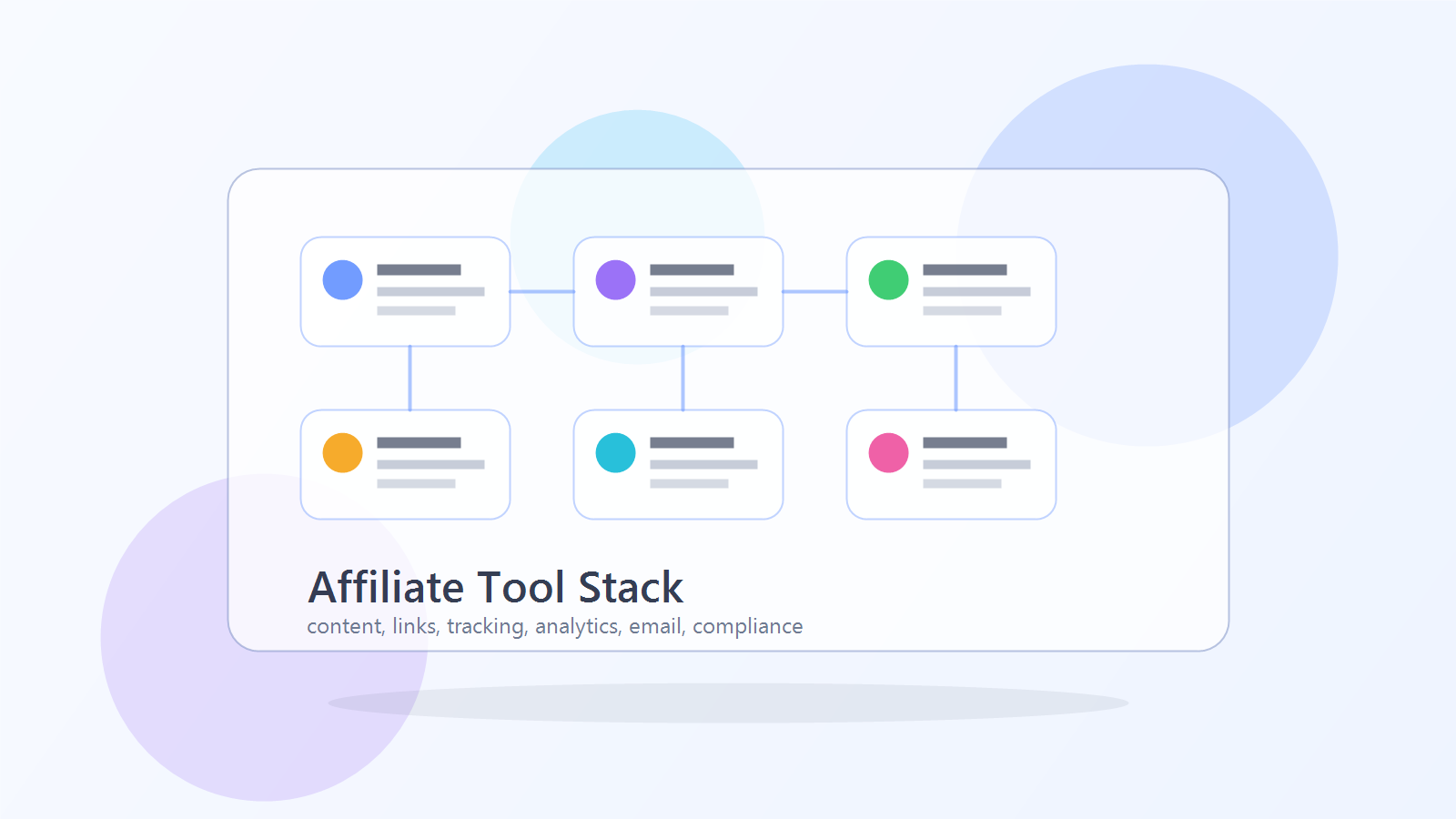
A beginner affiliate tool stack should help you do six things: publish content, manage affiliate links, track clicks and conversions, understand search performance, collect email subscribers, and disclose affiliate relationships clearly.
It should not drain your budget before you have traffic.
Many beginners make the same mistake. They buy too many tools too early, then spend more time configuring dashboards than publishing useful content. The better approach is to start with a lean stack, prove that your niche and content can attract the right readers, then upgrade only when the data shows a real need.
If you are still learning the business model, start with this guide on how to get into affiliate marketing. This article focuses on the tools you need after you decide to build seriously.
The Simple Beginner Affiliate Stack
You do not need a complicated setup to start. A practical beginner stack has seven layers:
| Layer | What it does | Beginner rule |
|---|---|---|
| Website | Gives your content a stable home | Keep it simple and fast |
| Content planning | Helps you choose topics and publish consistently | Use a spreadsheet before buying complex software |
| Keyword research | Shows what people search for | Start with free research, upgrade later |
| Affiliate links | Organizes and manages links | Track where links appear |
| Tracking | Shows clicks, referrals, and conversions | Set this up before traffic grows |
| Analytics | Shows search and site performance | Watch impressions, clicks, and pages |
| Lets you keep in touch with readers | Start small with one useful opt-in |
The stack should make publishing easier, not heavier. If a tool does not help you publish, track, learn, or earn, it can probably wait.
1. Website And Publishing Platform
Your website is the base of the affiliate business. It gives you pages you control, internal links you can shape, and a place to build topical authority over time.
For most beginners, WordPress is still a practical choice because it is flexible, widely supported, and works with many affiliate, analytics, SEO, and email tools.
A beginner website stack usually includes:
- A domain name
- Web hosting
- WordPress or another content management system
- A lightweight theme
- Basic SEO settings
- Analytics and Search Console setup
- A clear affiliate disclosure page or disclosure block
Do not overbuild the site before you have content. A perfect homepage with no articles will not produce affiliate revenue. Publish useful pages first, then improve design and conversion elements once you know what readers want.
2. Content Planning Tools
Affiliate marketing depends on consistent content. Your planning tool can be simple.
At the beginning, a spreadsheet is often enough. Track:
- Target keyword
- Search intent
- Article type
- Affiliate program or offer
- Internal links to add
- Publish date
- Last updated date
- Current ranking or traffic signal
- Notes from Search Console
This matters because affiliate sites can become messy quickly. One article turns into ten, then fifty. If you do not track what each page is supposed to do, you end up with overlapping posts, orphan pages, and random affiliate links.
A simple content plan should answer:
- What problem does this article solve?
- What page should it link to?
- What page should link back to it?
- Which offer, if any, fits naturally?
- What would make this page more useful than what is already ranking?
For a beginner affiliate site, clarity beats volume.
3. Keyword Research Tools
Keyword research helps you avoid writing only what you feel like writing. It shows you what people are actively searching for and how they phrase their problems.
You can start with free methods:
- Google autocomplete
- People Also Ask
- Related searches
- Reddit and niche forums
- YouTube autocomplete
- Competitor article titles
- Google Search Console after your site starts getting impressions
Paid SEO tools can be useful later, especially when you need keyword difficulty, competitor pages, backlink data, and content gap analysis. But a beginner does not need to buy every tool before publishing the first ten articles.
Focus on keywords with clear intent:
| Intent | Example topic |
|---|---|
| Beginner learning | how to get into affiliate marketing |
| Tool research | beginner affiliate marketing tools |
| Comparison | free vs paid affiliate tracking tools |
| Problem solving | how to track affiliate links in WordPress |
| Buying intent | best affiliate tracking software |
The best early keywords are usually specific enough that you can answer them better than a broad generic site.
4. Affiliate Link Management
Affiliate links need organization. If you paste raw links randomly into posts, it becomes difficult to update links, remove old programs, test placement, or understand which pages are driving clicks.
A link management setup should help you:
- Store affiliate links in one place
- Add links consistently
- Update old links without editing every page manually
- Track clicks by page or campaign
- Avoid broken or outdated links
- Keep disclosures clear
You do not need a complex system immediately, but you should avoid chaos from the start.
If you are using WordPress, read this guide on how to track affiliate links in WordPress. It explains how link tracking fits into a real site workflow.
5. Affiliate Tracking
Link clicks are useful, but they are not the full picture. Affiliate tracking helps you understand whether clicks become signups, leads, purchases, or commissions.
The tracking you can access depends on the affiliate program. Some merchants give you detailed affiliate dashboards. Others provide limited reporting. If you run your own affiliate program, you need software that tracks referrals and commissions directly.
Beginner tracking questions:
- Which articles generate affiliate clicks?
- Which links get clicked?
- Which programs convert?
- Which pages attract readers but no buyers?
- Which offers produce commissions?
- Which links need better placement or context?
If you are comparing options, start with free vs paid affiliate tracking tools. As the site grows, compare broader platforms in the guide to the best affiliate tracking software.
6. Analytics And Search Console
Analytics tells you what happens on the site. Search Console tells you how Google is seeing your pages.
For setup basics, Google's Search Console help and GA4 event documentation are useful starting points. They are not glamorous, but neither is guessing why a page stopped getting clicks.
At minimum, track:
- Which pages get impressions
- Which queries trigger those pages
- Average position
- Click-through rate
- Pages with impressions but low clicks
- Pages ranking near page two
- Pages losing position
This is where content refreshes come from. If a page ranks in position 11-20, it may need better headings, clearer answers, stronger internal links, fresher examples, or a better title. If a page has high impressions but low CTR, the title and meta description may need work.
That is why the tool stack should include measurement from the beginning. You cannot improve what you never track.
7. Email Capture
An email list is not mandatory on day one, but it becomes useful quickly. Search traffic can be unpredictable. Social reach can change overnight. Email gives you a way to keep talking to people who already found your content useful.
A beginner email setup can be simple:
- One signup form
- One useful reason to subscribe
- One welcome email
- A short follow-up sequence
- Occasional content updates
Good beginner lead magnets include:
- Affiliate tool checklist
- Niche research worksheet
- Tracking setup checklist
- First 10 article ideas
- Affiliate disclosure template
Do not create a complicated funnel before you understand the audience. Start with one helpful opt-in connected to the article topic.
8. Disclosure And Compliance Tools
Affiliate disclosures are part of the stack because they protect trust. A reader should understand when you may earn a commission.
Use the FTC endorsement guidance as the baseline for US-facing affiliate content. The short version: make disclosures clear, visible, and hard to miss.
At minimum, use:
- A clear affiliate disclosure near affiliate recommendations
- A disclosure page or policy
- Consistent wording across posts
- A review process before publishing sponsored or affiliate-heavy content
Simple disclosure language can work:
This article may contain affiliate links. If you buy through these links, we may earn a commission at no extra cost to you.
Do not hide disclosure language in a footer or distant policy page only. Make it visible where readers need it.
Free vs Paid Beginner Stack
The right stack depends on whether you are validating a niche or scaling something that already works.
| Stage | Free or low-cost stack | When to upgrade |
|---|---|---|
| Starting | WordPress, spreadsheet, free keyword research, basic analytics | After publishing consistently |
| Early traction | Link tracking, Search Console reviews, simple email capture | When pages get impressions and clicks |
| Growing | Better SEO tools, stronger affiliate tracking, improved reporting | When revenue or program complexity justifies it |
| Scaling | Advanced tracking, automation, partner management, dashboards | When manual workflows slow growth |
Do not buy a scaling stack for a site that is still validating its first niche. But do not ignore tracking until it is too late, either. The best beginner stack is lean, but not blind.
Minimum Viable Affiliate Tool Stack
If you want the shortest practical version, start here:
- WordPress site
- Basic SEO plugin or SEO settings
- Spreadsheet content calendar
- Google Search Console
- Site analytics
- Affiliate link management or tracking setup
- Email signup form
- Affiliate disclosure block
That is enough to publish, measure, and improve.
Once you have traffic, upgrade based on bottlenecks:
- Too many links to manage? Improve link management.
- Unclear affiliate performance? Improve tracking.
- Many pages with impressions? Improve SEO workflow.
- Repeat readers but no list? Improve email capture.
- Running your own program? Compare affiliate tracking software and choose a system that can handle commissions and reporting.
30-Day Setup Checklist
Week 1: Foundation
- Choose one niche.
- Set up the website.
- Create your disclosure language.
- Start a simple content calendar.
- Research 3-5 affiliate programs.
Week 2: First content
- Publish a beginner guide.
- Publish one tutorial.
- Publish one comparison or buying-intent page.
- Add internal links between related articles.
- Add affiliate links only where they fit naturally.
Week 3: Tracking
- Set up Search Console.
- Set up site analytics.
- Track affiliate link clicks.
- Record which links appear on which pages.
- Check that disclosures are visible.
Week 4: Improve
- Review early impressions and clicks.
- Improve titles and meta descriptions.
- Add missing internal links.
- Expand thin sections.
- Plan the next five articles from actual search intent.
Common Beginner Tool Stack Mistakes
Buying tools before choosing a niche
Tools do not fix unclear positioning. Choose the audience and topic first.
Tracking only clicks
Clicks are not revenue. Track which pages and offers produce real outcomes when the affiliate program data is available.
Using too many plugins
Too many plugins can slow the site and complicate maintenance. Start with what the site actually needs.
Publishing without internal links
Internal links help readers and search engines understand how your articles connect. Every new article should point to related guides, and important pages should receive links from supporting posts.
Hiding affiliate disclosures
A disclosure that readers never notice does not build trust. Keep it clear and close to recommendations.
Treating the tool stack as permanent
Your first setup is not your forever setup. The stack should improve as the site grows.
Final Recommendation
The best beginner affiliate tool stack is simple: a website, a content plan, keyword research, link management, tracking, analytics, email capture, and clear disclosures.
Start lean. Publish useful content. Track what happens. Upgrade when the data shows the next bottleneck.
That approach gives you a real foundation instead of a pile of tools. It also keeps your affiliate site focused on what actually creates revenue: helpful content, relevant offers, clean tracking, and steady improvement.
FAQ
What tools do I need to start affiliate marketing?
At minimum, you need a publishing platform, a content plan, affiliate programs to join, a way to manage links, analytics, Search Console, and clear affiliate disclosure language.
Do beginners need paid affiliate tools?
Not always. Many beginners can start with free or low-cost tools. Paid tools become more useful when you have traffic, more links to manage, revenue to track, or a growing affiliate program.
What is the most important affiliate tool?
The most important tool is the one that helps you publish and measure consistently. For most beginners, that means a website, a content calendar, Search Console, and link tracking.
Should I use WordPress for affiliate marketing?
WordPress is a practical choice for many affiliate sites because it gives you control over content, internal links, plugins, disclosures, and tracking setup.
How do I track affiliate links?
You can track affiliate links with link management tools, affiliate dashboards, campaign parameters, and affiliate tracking software. The right setup depends on whether you are promoting other programs or running your own.
When should I upgrade from free tools?
Upgrade when a free tool blocks growth, creates reporting gaps, or costs more time than it saves. Good reasons include better tracking, easier link management, stronger keyword research, or more reliable affiliate program reporting.